
 TikTok
How to download TikTok videos and photo posts
Use Postmedia to find available TikTok videos and photo slides in your desktop browser.
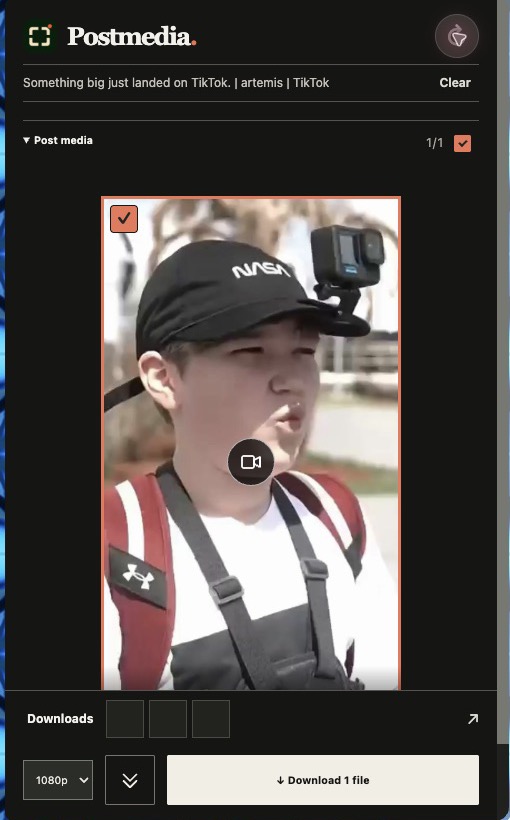
Postmedia is a paid desktop browser extension that helps you collect available media from TikTok and review it before download. Media files are prepared in your browser.
Find a TikTok video or photo post
Open TikTok and launch Postmedia. On a feed, the extension tries to find the post most visible in the window as you scroll. If the result is missing or refers to a different post, open the post directly and refresh.
Choose and download
Select the available video or photo slides. Choose Download to review the files and save them. If you select more than one file, Postmedia makes a ZIP.
Postmedia reads the post data and loaded slides. A slide that has not loaded may be missing; load it on the page and refresh. Some videos are unavailable, protected or use a format the extension cannot download.
Save only media you have permission to use. Check the source site's terms and the file's licence before reuse.